
Technical support
Support that starts with the zone schedule
Commissioning checklists, fault-finding logic and spare-parts guidance for the contractor who has to make the system work on site.
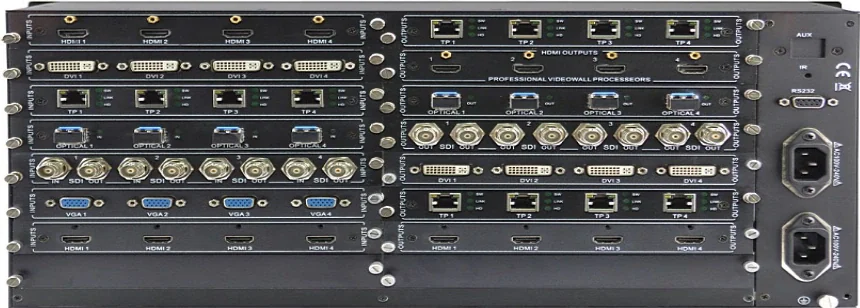
Reference image. Support is provided to the installing contractor and the client’s technical team.
The support logic
Start with power, then signal, then zone
A public-address or conference system rarely fails because of a single broken box. It fails at the interface: a priority that was never configured, a tap setting that does not match the schedule, a fire trigger that was tested with the wrong zone, or a network VLAN that was changed after commissioning.
The support pages below are written for the installing contractor and the client’s technical team. They follow the same order as the commissioning process: power, signal, zone, priority, interface, documentation. Start at the top and work down.
01Why is there no sound in one zone?
Check the zone assignment before the amplifier. Then check the circuit fuse, the tap setting and the loudspeaker line impedance. A single failed loudspeaker transformer can take down a circuit if the protection is not set correctly.
02Why is there hum or buzz?
Separate the signal earth from the power earth, check the cable screen and the source device. A dimmer or a variable-speed drive on the same supply can inject noise. Balanced input and a ground-lift option usually solve it.
03Why does paging not override music?
Check the priority table, the ducking depth and the paging input assignment. A paging microphone connected to a line input will not trigger the priority. The console must be on the paging input or the network paging channel.
04Why is there feedback in a meeting room?
Check the loudspeaker and microphone positions before adding a feedback suppressor. Move the loudspeakers out of the microphone axis, reduce the gain, and confirm the microphone is cardioid and correctly aimed.
05Why does network audio drop out?
Check the VLAN, QoS, multicast and PoE budget. A flat network or a congested uplink will drop audio before it drops data. The IT team should confirm that no policy change was made after commissioning.
Commissioning checklist
The order that saves time
- 01Confirm the power supply, earthing and UPS/generator changeover.
- 02Confirm the amplifier output voltage and the loudspeaker tap settings.
- 03Measure the impedance of each loudspeaker circuit and record it.
- 04Confirm the zone schedule against the as-built drawing.
- 05Test the paging priority and the ducking/restoration.
- 06Test the fire interface per zone and record the cause-and-effect result.
- 07Confirm the emergency level above ambient noise in each zone.
- 08Confirm the DSP preset, the limiter and the EQ settings.
- 09Record the battery autonomy and the fault-reporting behaviour.
- 10Hand over the operating procedure and train the client’s team.
Spares to keep
| Amplifier module | One spare per amplifier family used on the project. |
| Loudspeaker tap / transformer | A small kit per loudspeaker family. |
| Paging microphone | One spare for a critical console. |
| Fuse / protection kit | Match the amplifier and circuit protection. |
| Configuration backup | DSP and control program files, stored off-site. |
Questions
Frequently asked questions
The questions that usually decide the scope: loudspeaker count, amplifier size, fire interface, certification and who installs the system. If your question is not here, send it with the building data.
Ask an application engineerDo you provide remote support?
Yes, for design and commissioning questions. Remote support is included for the first 30 days after shipment where agreed. On-site support is a separate service and depends on the destination.
Can you review our commissioning results?
Yes. Send the zone schedule, the impedance measurements, the SPL readings and the DSP preset file. We will review them against the design and flag the differences.
What is the warranty process?
The warranty is provided through the contract with the importer or integrator. A claim needs the model, serial number, purchase date, fault description and photos. The RMA route is confirmed before the order.
Can we get the configuration file?
Yes, where the platform allows export. The DSP and control program files are part of the handover pack. Keep a backup off-site; a lost configuration is a commissioning cost, not a warranty claim.
Support request
Send the site data
Include the zone schedule, the impedance readings, the SPL readings and the DSP preset file where possible. A photo of the rack and the fault message helps.
Project inquiry
Technical support request
Send the room or building data once. We return one combined proposal covering PA, conference, ballroom and AV, with the equipment schedule, interface list and the questions that still need an answer. ODM and OEM inquiries are welcome. Drawings are welcome but not required.
One brief, one combined proposal
Send the building once. Get the whole system back.
Tell us the building type, zones, room sizes, ceiling height, seat or table count, fire interface and any ODM/OEM requirement. Our own factory and system team return one combined proposal: equipment schedule, interface list and open questions.
Reply within 48 hours · drawings welcome · no obligation